


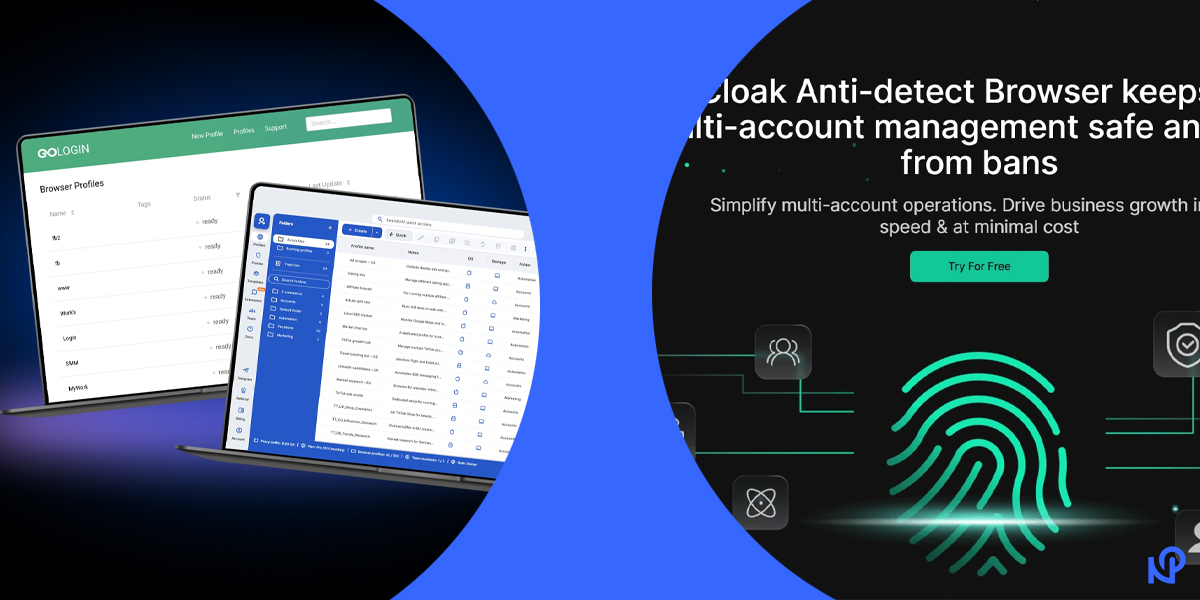
GoLogin has become an increasingly important tool in a digital world where online platforms closely monitor user behavior. From social networks to e‑commerce marketplaces, websites rely on advanced tracking systems to identify users and link their activities. For professionals who manage multiple accounts or require consistent online privacy, this environment creates real challenges. GoLogin was built to address these challenges by offering controlled, isolated browsing environments that look natural to websites while remaining easy to manage.
What GoLogin Is
GoLogin is an anti‑detect browser platform that allows users to create multiple independent browser profiles. Each profile behaves like a separate physical device, complete with its own browser data, system parameters, and identity signals. Unlike standard browsers, where profiles may still share hidden identifiers, GoLogin keeps each environment fully isolated.
This separation allows users to log into multiple accounts on the same platform without triggering detection systems that look for shared technical fingerprints.
Why GoLogin Was Created
Websites now use more than cookies to identify visitors. Advanced tracking methods analyze device settings, browser behavior, and system configurations to build unique fingerprints. Even when cookies are deleted or private mode is used, these fingerprints remain consistent.
GoLogin was developed as a response to this shift. Its purpose is to give users control over these identifiers so they can maintain clean separation between accounts while browsing in a realistic and stable way.
How GoLogin Works
GoLogin works by generating isolated browser profiles, each with its own digital fingerprint. When a profile is launched, it opens a browser environment that mimics a real device. The profile includes customized parameters such as operating system type, browser version, screen resolution, language, and time zone.
Users can assign a unique proxy to each profile so the IP address aligns with the fingerprint. Together, these elements make each profile appear as a legitimate, independent user to websites.
Browser Fingerprinting Explained
Browser fingerprinting is a technique websites use to identify visitors based on technical characteristics rather than stored data. These characteristics include installed fonts, hardware settings, graphics rendering behavior, and browser configuration details.
Unlike cookies, fingerprints cannot be cleared easily. GoLogin manages these values by creating consistent and realistic fingerprints for each profile, helping reduce the chance of accounts being linked.
Core Features of GoLogin
GoLogin offers a structured dashboard where users can create, manage, and organize browser profiles. Profiles can be duplicated, grouped, renamed, or archived depending on workflow needs.
The platform supports proxy integration, cloud‑based profile storage, and team access controls. More advanced users can take advantage of API connections for automation and testing tasks, making GoLogin suitable for both manual and technical use cases.
Benefits of Using GoLogin
One of the biggest benefits of GoLogin is account protection. By separating browser identities, users reduce the risk of account bans or restrictions caused by detection systems.
Another key benefit is efficiency. Instead of switching devices or clearing data repeatedly, users can move between profiles instantly. This saves time and reduces operational friction for professionals managing many accounts.
Who GoLogin Is For
GoLogin is commonly used by social media managers who handle multiple brand or client accounts. Affiliate marketers and advertisers rely on it to manage campaigns without cross‑account interference.
E‑commerce sellers use GoLogin to operate different storefronts safely, while developers and QA specialists use it to simulate multiple user environments. For casual users with a single account, GoLogin may be unnecessary.
Common Use Cases
In social media management, GoLogin helps maintain clear separation between accounts on the same platform. In digital advertising, it supports safe handling of multiple ad accounts.
Other common use cases include web scraping, market research, traffic testing, and account quality assurance. In each scenario, consistency and separation are essential.
GoLogin Pricing Overview
GoLogin offers several pricing plans designed to scale with user needs. A limited free plan allows users to test the platform, while paid plans unlock more profiles, collaboration features, and advanced settings.
Monthly and annual subscriptions are available, with long‑term plans generally offering better value. The cost is best justified for users who depend on multi‑account workflows.
Pros and Cons of GoLogin
GoLogin’s strengths include strong fingerprint control, reliable profile isolation, and a user‑friendly interface that supports team collaboration. Regular updates help the platform stay aligned with browser technology changes.
On the downside, new users may need time to understand fingerprint settings and proxy usage. Some advanced features are restricted to higher‑tier plans.
GoLogin vs Traditional Privacy Tools
Traditional privacy tools such as VPNs and incognito mode provide limited protection. VPNs change IP addresses, and incognito mode limits local data storage, but neither addresses browser fingerprinting.
GoLogin operates at a deeper level by managing both fingerprints and browsing environments, making it far more effective for professional multi‑account use.
Legal and Safety Considerations
GoLogin is legal software designed for privacy and account management. However, users remain responsible for following the terms and policies of the platforms they access.
From a security standpoint, GoLogin allows controlled access for teams without sharing login credentials, reducing internal security risks.
Getting Started with GoLogin
Starting with GoLogin involves creating an account, setting up a browser profile, and assigning a proxy. Beginners can rely on default fingerprint settings, which are designed to be safe and realistic.
Best practices include avoiding frequent fingerprint changes and ensuring proxies match the selected location and usage purpose.
GoLogin Alternatives
There are other anti‑detect browsers on the market, each with different strengths. Some focus more on automation, while others emphasize simplicity.
GoLogin remains a popular choice because it balances usability, control, and ongoing development, making it suitable for long‑term professional use.
Final Thoughts
GoLogin is a practical solution for professionals who need reliable account separation and privacy control. By addressing browser fingerprinting directly, it offers protection that traditional tools cannot provide. For users managing multiple accounts as part of their work, GoLogin delivers structure, efficiency, and peace of mind when used responsibly.
FAQs
What is GoLogin mainly used for
GoLogin is used to manage multiple online accounts without linking them through browser fingerprints.
Is GoLogin beginner‑friendly
Yes, basic usage is accessible, though understanding proxies improves results.
Does GoLogin guarantee anonymity
GoLogin reduces tracking risks, but responsible behavior and configuration remain important.
Do I need a proxy with GoLogin
Using a proxy is strongly recommended for realistic profile separation.